
Got a text you need to measure? This free online tool counts every character, including spaces, right away. Words and sentences get tallied just as fast. Works well when crafting posts for social platforms. Helps shape up essays with clear metrics. Writers use it daily without paying a dime. Search engine rules become easier to follow too.
Character Counter With Spaces Online Free Tool
Most folks type words onto screens without thinking much about space. Yet every key press matters when the room runs short. Picture posting thoughts where each letter counts. Think updates on networks, summaries for search engines, school tasks handed in digitally, bits of blogs polished tight. A solid counter tracks each symbol, even gaps between terms. That kind of helper lives online, costs nothing, shows up fast. It trims guesswork out. Work flows smoother once numbers guide choices instead of hopes.
Counting letters, gaps, terms, lines, or blocks happens right away with this web app at no cost. Built for speed, it serves anyone typing – learners, authors, site creators, search optimizers, solo workers, internet promoters – with ease. Real-time results show up without delays. Simplicity drives its design. Performance stays sharp even during heavy use. Clarity matters most here.
Character Counter With Spaces Explained?
Every now and then, someone needs to know exactly how many letters show up in a block of writing – counting every blank spot too. This tool lives online, works without cost, plus runs straight inside your browser. It takes whatever you type, measures each symbol one by one, even those gaps separating words. Built for clarity, it delivers fast results without extra steps or cluttered design.
Not just tallying words, this tool tracks every space too. What sets it apart? It measures exactly what others skip. While simpler tools look past gaps between words, here each one gets counted. Spaces matter, so they’re included without exception. Precision comes from noticing what’s often missed. Every blank has its place in the total.
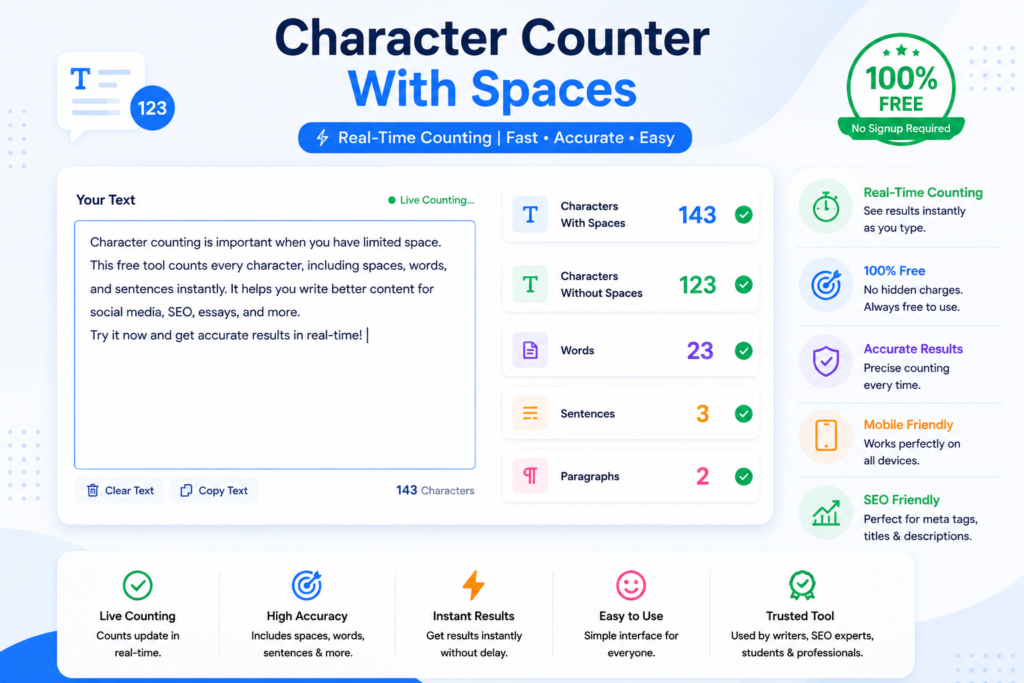
- Characters with spaces
- Characters without spaces
- Total words
- Sentences
- Paragraphs
Because of this, it works well on systems needing precise character counts.
Character counting matters?
Counting characters matters since websites often set hard caps on how much you can type. Not hitting those rules might mean your message gets cut off or rejected without warning.
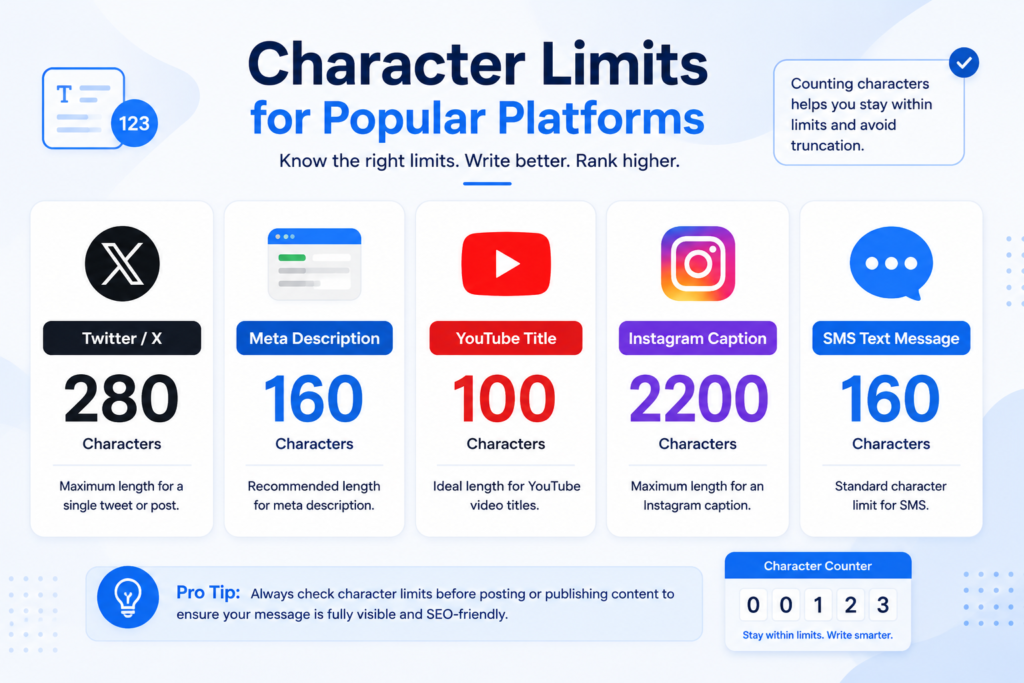
Examples include:
| Platform/Task | Character Limit |
| Twitter/X Post | 280 characters |
| Meta Description | 150–160 characters |
| Instagram Caption | 2,200 characters |
| YouTube Title | 100 characters |
| SMS Text Message | 160 characters |
Using a Character Counter With Spaces Online Free Tool ensures your content stays within the required limit while remaining readable and professional.
Features of Character Counter With Spaces Online Free Tool
1. Real-Time Character Counting
The tool updates counts instantly as you type or paste text.
2. Count Characters With Spaces
It accurately includes spaces in the total count.
3. Count Characters Without Spaces
Helpful for technical writing and coding requirements.
4. Word Counter
Count how many words are in your text. Watch the full word amount as you write.
5. Sentence and Paragraph Counter
Useful for essays, blog posts, and academic writing.
6. 100% Free to Use
No registration or payment required.
7. Mobile-Friendly Tool
Fine movement across desktops, while tablets keep pace just as well. Smartphones handle it without catching errors along the way.
How To Use Character Counter With Spaces Online Free Tool
Most folks find it simple to operate, needing just moments of their time. It clicks into place without fuss, working fast once started.
Step 1: Open the Tool
Visit the character counter webpage.
Step 2: Paste or Type Your Text
Start typing right there in the space provided. Put each idea one after another till it’s full. Fill it up without stopping too much. Go ahead when ready, just begin writing now.
Step 3: View Instant Results
The tool will automatically display:
- Character count with spaces
- Character count without spaces
- Word count
- Sentence count
Step 4: Edit Your Content
Adjust your text according to the required limit.
Benefits of Using Character Counter With Spaces Online Free Tool
Saves Time
No need to manually count characters or words.
Improves SEO Writing
SEO experts can optimize titles and meta descriptions more effectively.
Perfect for Social Media
Create captions and posts within platform limits.
Helps Students and Writers
Useful for essays, assignments, and reports with word or character restrictions.
Enhances Content Quality
Writers can maintain concise and readable content.
Who Can Use This Tool?
This tool is ideal for:
- Bloggers
- Content writers
- SEO experts
- Students
- Freelancers
- Copywriters
- Social media managers
- Digital marketers
Anyone who works with text online can benefit from a Character Counter With Spaces Online Free Tool.
SEO Benefits of Character Counter Tools
For SEO professionals, character count matters a lot.
Meta Titles
Google usually displays around 50–60 characters for titles.
Meta Descriptions
Length works best when close to this.
URL Optimization
A fresh look at links shows compact ones tend to rank higher. Tiny web addresses slip easier into results people check daily.
When you count characters carefully, your content fits better online. This fit matters because it shapes how people see links on screens. A tight match means more eyes stay, then move forward to read. Space rules change fast, yet counting keeps pace without extra noise. The right size pulls interest naturally, nothing forced. .
Character Count Including Spaces Compared to Excluding Spaces
| Feature | With Spaces | Without Spaces |
| Counts spaces between words | Yes | No |
| Best for social media limits | Yes | Sometimes |
| Useful for coding tasks | Limited | Yes |
| SEO optimization | Yes | Yes |
Both counts are useful depending on your writing purpose.
Tips for Writing Better Content Within Character Limits
Use Short Sentences
Keep your message clear and concise.
Avoid Unnecessary Words
Words that aren’t needed tend to leave on their own. Silence carries weight by simply being silent. When everything stops, sound finds its voice. Words weigh more when fewer stand. Silence builds between meaningful sounds. Empty spaces hold weight too.
Focus on Important Keywords
Place primary keywords naturally in the content.
Check Counts Regularly
Use the tool while writing to stay within limits.
Character counter with spaces free online tool?
Speed comes first, then simplicity – accuracy ties it together. Built that way on purpose.
Key Advantages:
- Fast and accurate counting
- User-friendly interface
- No signup required
- Completely free
- Works on all devices
- Instant results
From SEO to classroom papers or posts online, it brings what you need together without clutter. One spot handles every kind of writing task you face.
FAQs:
Is the Character Counter With Spaces Online Free Tool free?
Free access? That’s right – no cost at all. Zero charge every time you use it.
Spaces – does it tally those too?
Spaces between words, those little gaps you barely notice – yep, every single one gets included. Sentences? They’re part of the tally too.
Using it on mobile?
Fine on phones, it runs smooth no matter what gadget you use.
Is this tool useful for SEO?
For sure. This makes meta titles work better, improves descriptions, while adjusting how long the content should be.
Does the tool store my text?
Many web tools that count characters avoid saving what you type, so your info stays private and protected.
Conclusion
Every now and then, a simple web tool makes life easier when typing words for websites or posts. Whether it’s shaping up tweets, fine-tuning essays, or checking search engine content, hitting the right count matters more than most think. Counting every letter, space included, keeps things precise without guesswork slowing you down.
Should speed matter, along with tighter editing and exact counts, a solid character checker becomes the go-to option. While quick output helps, clean results often come from tools built to track every keystroke without guesswork.